
OSSD + EDM: DQC × Mitsubishi FX5U Wiring (with I/O Map, Reset & Commissioning)
A hands-on document for electrical engineers: connect the dual-channel OSSD and EDM (External Device Monitoring) of a DQC safety light curtain to a Mitsubishi FX5U correctly. Includes I/O mapping, reset strategies, oscilloscope/multimeter check points, alignment & interference troubleshooting, and a commissioning checklist & templates.
1) OSSD / EDM principles & selection (PNP/NPN)
OSSD is a diagnostic safety output—typically two independent channels (OSSD1/OSSD2). Any channel fault, desynchronization, or beam interruption triggers a safe stop.
EDM (External Device Monitoring) supervises the external contactors/relays (K1/K2) to prevent reset if their contacts are welded or failed.
| Item | Requirement / Recommendation | Notes |
|---|---|---|
| Type | IEC 61496 Type 4 (PL e / SIL 3) | Commonly required for high-risk applications such as presses/press brakes |
| OSSD | Two independent channels | Detects short/open, channel mismatch, etc. |
| EDM | Strongly recommended | Monitors K1/K2 contact status to block unsafe reset |
| Polarity | Prefer PNP (sourcing) | COM=0V → PNP; COM=24V → NPN, match the FX5U input module |
| Safety distance | ISO 13855 calculator | S = K×T + C. Record in your as-built file |
2) Wiring Option A: PNP (sourcing, recommended)
Use when FX5U inputs are sourcing or configured with COM tied to 0V. Wire the DQC Tx/Rx as per the factory terminal map. Route OSSD1/2 to FX5U inputs; the EDM loop returns the series NC contacts of K1/K2.
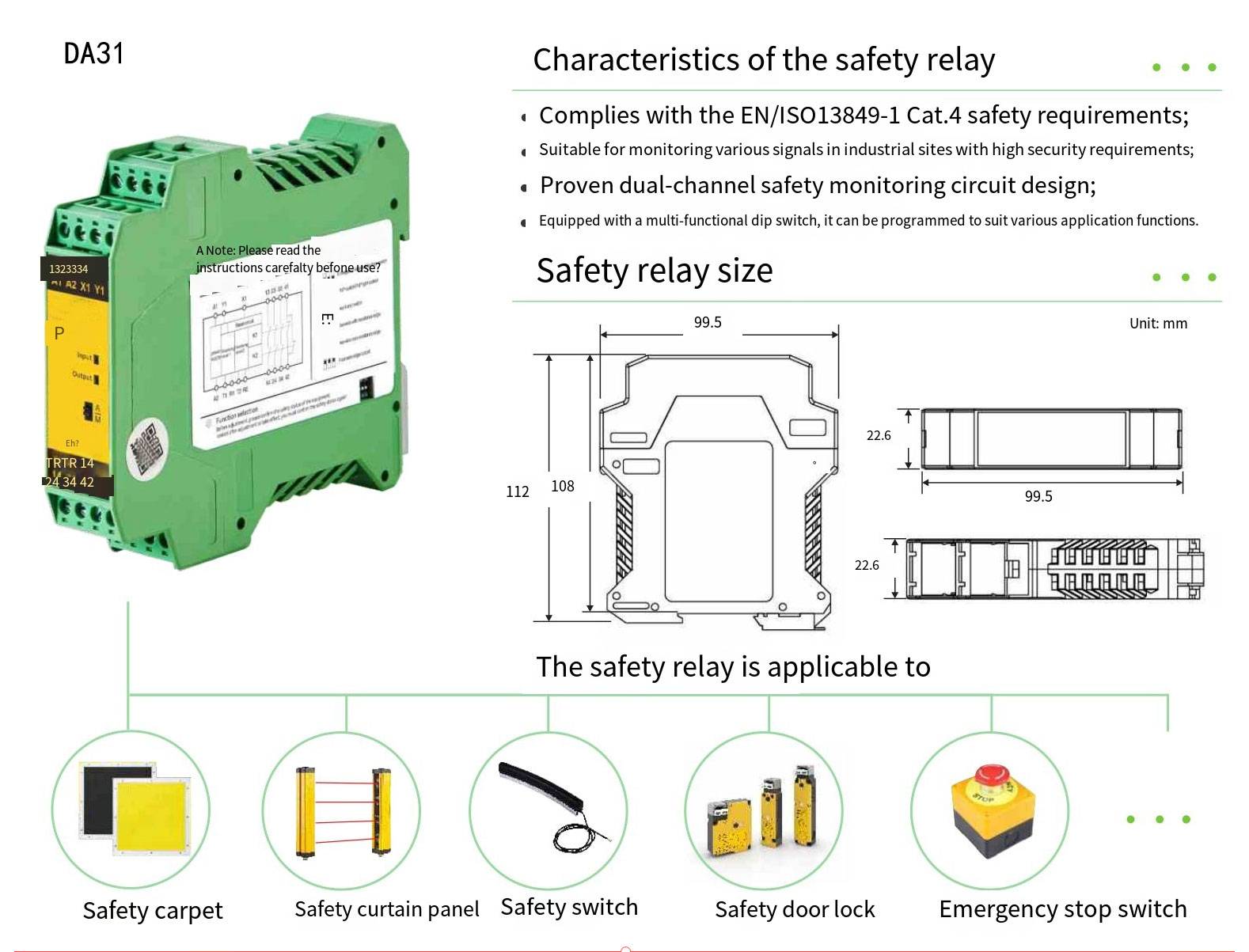
Key points
- Route OSSD1 and OSSD2 as separate harnesses. Do not share a single protection fuse.
- EDM is the series NC feedback of K1/K2.
- Use rising edge or two-stage reset to avoid unintended reset.
- Separate the 24 V sensor supply from power drives; use a dedicated breaker.
Typical I/O (PNP)
| Signal | FX5U terminal | Description |
|---|---|---|
| OSSD1 | X0 (sourcing input) | Safety output channel A |
| OSSD2 | X1 | Safety output channel B |
| EDM | X2 | External Device Monitoring feedback |
| Reset | X3 | Manual reset pushbutton (rising edge) |
| +24V / 0V | Dedicated PSU | Shield drain grounded at one point |
3) Wiring Option B: NPN (sinking)
Use when FX5U input common COM is tied to +24 V. Logic is the same as PNP but polarity is inverted. Mixing input types will cause constant ON or false alarms.
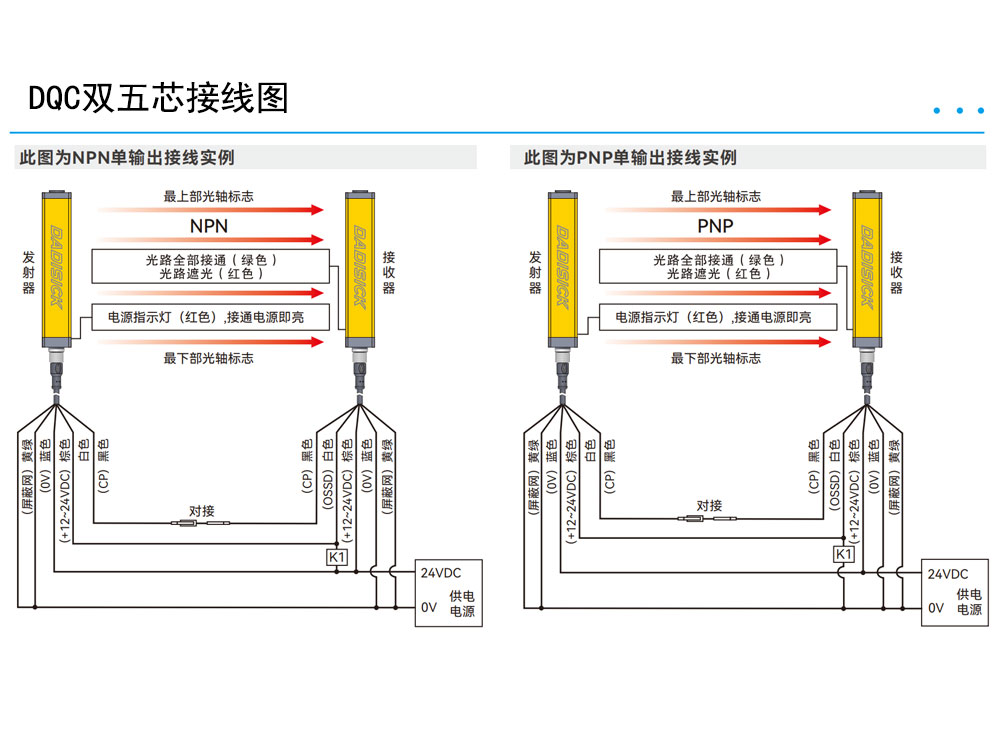
4) I/O map & naming convention
Use a consistent naming scheme so technicians can audit quickly and reuse across projects. The table below can be copied as an I/O list (export to CSV if needed).
| Variable | Symbol/Address | Source | Purpose | Remarks |
|---|---|---|---|---|
| LC_OSSD_CH_A | X0 | DQC OSSD1 | Safety output channel A | PNP recommended |
| LC_OSSD_CH_B | X1 | DQC OSSD2 | Safety output channel B | Alarm on desync with CH_A |
| LC_EDM_FB | X2 | K1/K2 NC | EDM feedback | Blocks reset on welded contacts |
| LC_RST_BTN | X3 | Pushbutton | Manual reset | Rising edge trigger |
| LC_STATUS_OK | M100 | Logic | Light curtain OK | Internal bit |
| LC_INTERLOCK | M101 | Logic | Enable-to-start interlock | Used with machine start |
Ladder/ST snippet (illustrative)
// Example only. Replace with your project library for FX5U.
// Condition: both channels valid + EDM OK
IF X0 = TRUE AND X1 = TRUE AND X2 = TRUE THEN
  M100 := TRUE;   // LC_STATUS_OK
ELSE
  M100 := FALSE;
END_IF;

// Manual reset (rising edge) and status OK
IF RisingEdge(X3) AND M100 THEN
  M101 := TRUE;   // LC_INTERLOCK
END_IF;

// Auto-cancel interlock when status error occurs
IF NOT M100 THEN
  M101 := FALSE;
END_IF;
Tip: RisingEdge() can be implemented with a one-shot bit. For two-stage reset (double-action), add a time window and debouncing.
5) Reset strategies (manual / two-stage / rising edge)
- Mandatory manual reset: no auto-restart after beam cleared.
- Two-stage action: press → release → press again within 0.5–3 s to reduce accidental resets.
- Rising edge only: hold-to-reset is prohibited; edge-trigger avoids continuous reset.
- Ergonomics: operator must clearly see the hazard zone before resetting.
6) Commissioning & self-test (scope/meter checkpoints)
- Polarity & insulation: verify 24 V/0 V and protective earth; ensure PNP/NPN matches FX5U input polarity.
- Channel coherence: block/release beams and confirm OSSD1/OSSD2 change simultaneously; desync should alarm.
- EDM logic: mechanically hold a contactor—EDM must prevent reset.
- Reset validation: long-press ineffective; only rising edge or two-stage is accepted.
- Safety distance: calculate with ISO 13855 and file it.
- Capture points: record waveforms/levels at OSSD1, OSSD2, EDM, Reset.
Self-test record template (copy to CSV)
Item,Test,Expected,Actual,Result,Notes
1,OSSD1/OSSD2 beam block response,Both channels drop/alarm simultaneously,,,,
2,Desync alarm,Any channel delay → alarm,,,,
3,EDM welded-contact blocking,Hold K1/K2 → reset disabled,,,,
4,Reset logic,Only rising edge/two-stage valid,,,,
5,Safety distance,Calculated & recorded by ISO 13855,,,,
6,Waveform/level captures,Saved to as-built file,,,,
7) Cabling & EMC (shielding/grounding/separation)
- Separate OSSD/EDM from power cables by ≥ 200 mm; do not run in parallel for long distances. Cross at 90°.
- Terminate shields at the cabinet end single-point ground to avoid loops.
- Use a dedicated breaker for the 24 V sensor supply; keep it apart from drives.
- Use terminal numbers and wire markers consistent with drawings; place an I/O cheat-sheet on the cabinet door.
- For harsh environments, choose models rated appropriately (e.g., IP65/67/69K).
8) Alignment tips & interference troubleshooting
- Three-step alignment: maximize horizontally → maximize vertically → fine-tune and lock while watching input stability.
- Strong light/welding arc: add shrouds or filters; change incident angle; shorten range if necessary.
- Reflective parts: keep ≥ 300 mm away from mirror-like surfaces; consider muting/blanking bars.
- Mist/dust: choose IP65/67/69K models and set a cleaning schedule.
9) Downloads & tools
- OSSD/EDM wiring pack (PNP/NPN, FX5U/S7-1200, relay matrices)
- ISO 13855 safety distance calculator
- DQC quick selector (resolution / height / range)
FAQ
Why prefer PNP? Can I use NPN?
It depends on the FX5U input common. COM at 0 V → PNP; COM at +24 V → NPN. Either works if matched correctly, but PNP is more common and interoperable in industry.
Can I skip EDM?
Not recommended. EDM detects dangerous failures such as welded contactors and blocks reset, which is typical for Type 4 / PL e implementations.
Can the PLC cut the safety circuit directly?
No. FX5U is not a safety PLC. Safety stop must be executed by a safety relay/controller with contactors; the PLC only monitors and interlocks.
Illustrations used on this page
- Fig. 1: Safety relay module context — replaces the generic PNP diagram for visual context.
- Fig. 2: Safety light curtain device shot — used to indicate the NPN variant section.
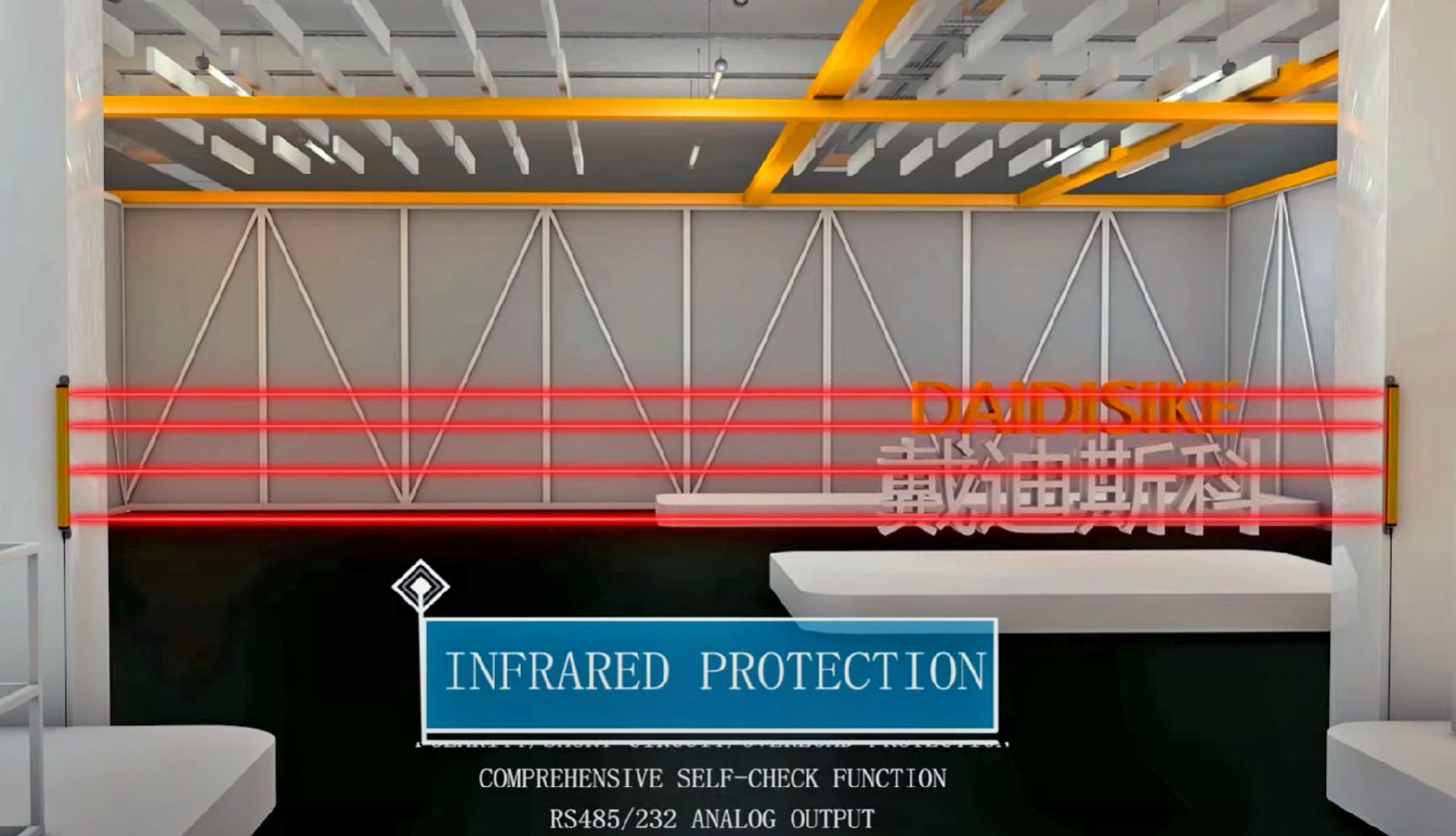
- Fig. 3: Photoelectric sensor close-up — used to visualize commissioning checkpoints.